Reverse-engineering Elcotel payphone rate files
Elcotel payphones use .R94 files to decide how much to charge for a call. PNM (Payphone Network Manager) Plus, the original management software, has an editor for them. It lets you change prices and assign exchanges to price bands, but doesn't explain the file format.
My elcotel-playground project can read and write rate files without PNM Plus. It can also generate them from a tariff specification. This post covers the format it supports and where those files fit into running the phone.
I should probably mention that I don't own an Elcotel phone, nor do I have plans to ship one across the pond (though I am no stranger to that - I have a Central Michigan University Millennium Multipay terminal :)). Apparently that hasn't stopped me from spending time figuring out how to set its call prices. This one's for preservation; someone with the actual phone might find it useful, and I've spared myself the postage.
The phone behind the files
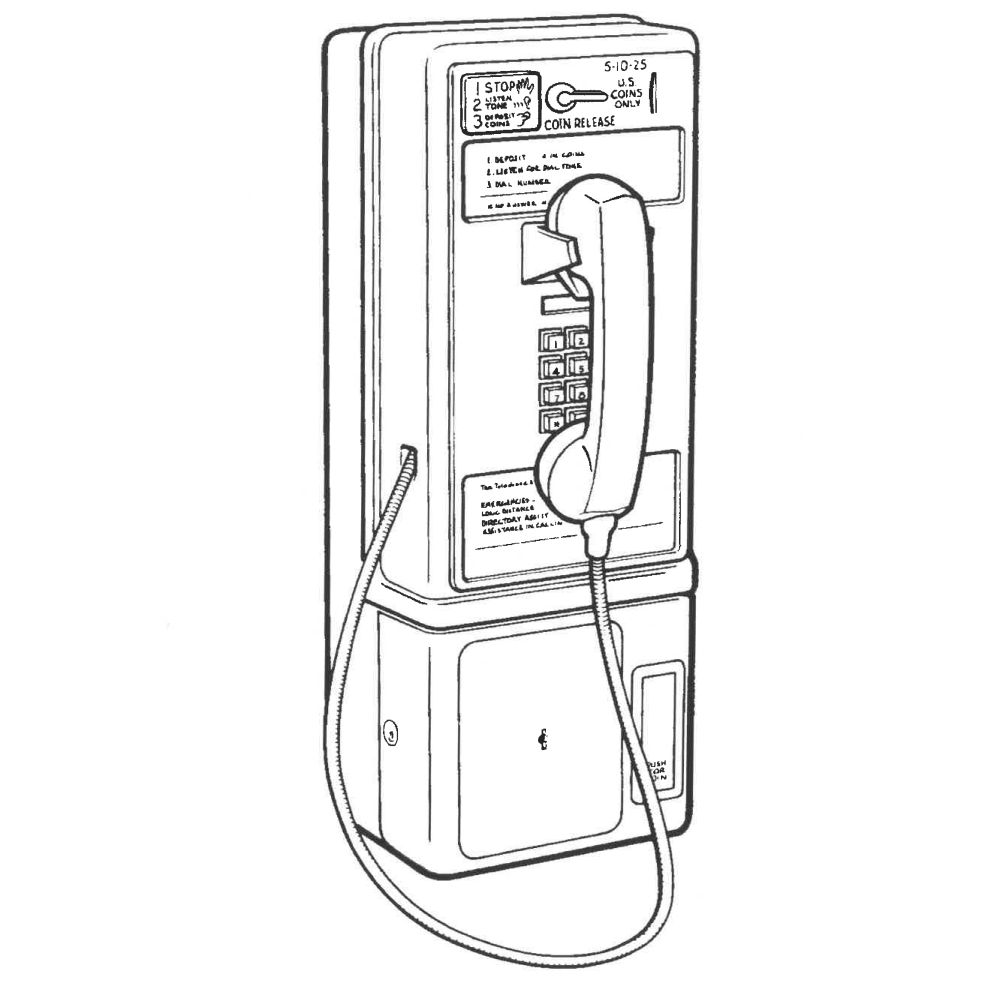
The familiar metal housing hides quite a lot of the telephone system. The Series-5 uses a PCM-5 controller, and the phone itself decides when to collect or return the coins. The standard model takes its power from the telephone line, including the power for the coin relay, with a rechargeable battery providing backup. It doesn't need the exchange to make every charging decision for it.
That's why the rate file matters: the phone needs its own copy of the charging rules. According to the Series-5 manual, the management system can download rate-center data as well as configuration and firmware. The controller keeps those alongside the other information it needs to operate between management calls.
Getting a rate file in 1999
Elcotel's PNM Plus manual tells operators to download rate files from www.elcotel.com. Each file covered a rate center, potentially serving several originating exchanges. Elcotel says its staff checked the exchange information with the local telephone companies, using published tariffs or contacting them directly.
The filenames tell you something about that coverage. The manual's example, 604205DF.R94, uses the requested area code and the lowest exchange number in the group that can use the file. DF means default, or “as supplied.”
An operator would copy a supplied file, edit the prices in PNM Plus, and assign it to the appropriate phones. Even the editor's “new” command started from an existing file. Poll Manager then sent the file to the phone over its modem connection.
Rate-file selection in PNM Plus
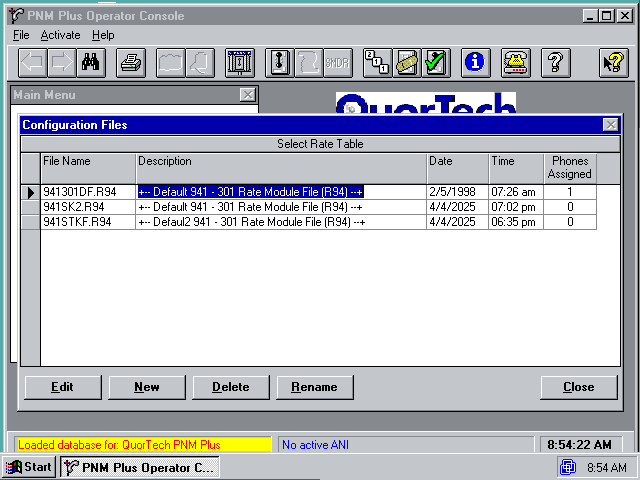
You can still get PNM Plus and its manuals from Telesfor's documents page; the programming page covers the equipment needed to use it.
What we're looking at
First, this is the management software running on the PC, not the firmware inside the payphone. The editor prepares a rate file; Poll Manager handles getting it to the phone. Understanding the editor's file handling doesn't automatically tell us how the phone implements charging, or what happens on the modem connection.
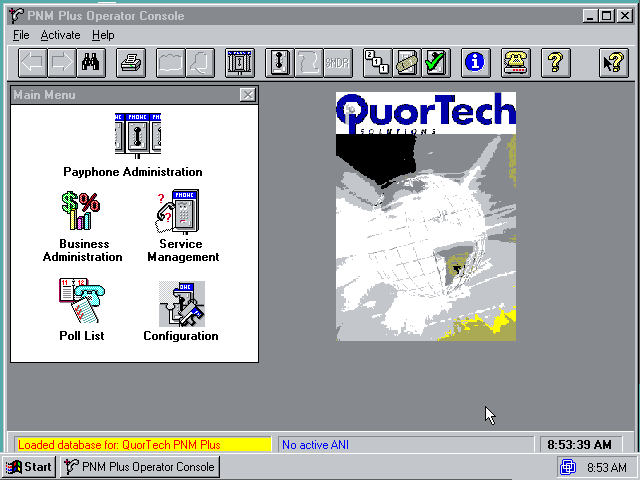
The rate editor is a Visual Basic 3 application, which lets us inspect decompiled VB code rather than work entirely from machine instructions. That output is a reconstruction, not a tidy copy of the original project. The decompiler supplies names like m02DC and sub09D4, so figuring out what a variable holds still takes some following around.
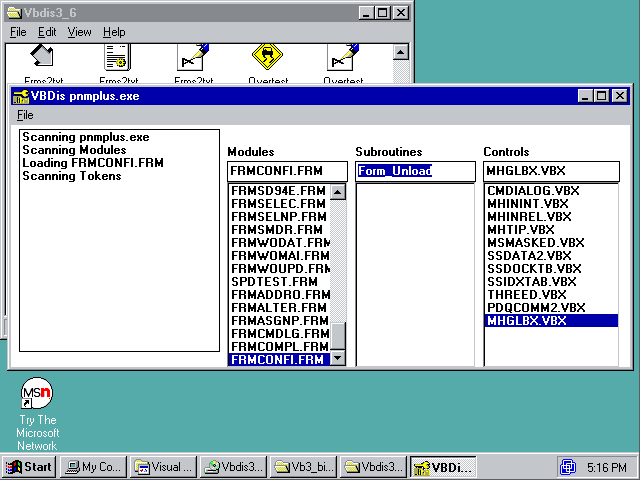
VB applications of this period usually split their code between forms, which hold the interface and its event handlers, and modules containing routines that several parts of the program can call. That's a useful model for reading the editor, but it doesn't give us its original directory tree. A price-entry window needs to react to someone changing a value; the file-writing routines need to turn the resulting values back into bytes. Those are different jobs, even if the decompiled output doesn't make the boundary especially pleasant to follow.
Strings help here. Error messages survive, as do routine names passed to error handlers, including RateMsubUncompressFile and RateMsubLoadPrices. Those give us somewhere to start looking for the decompressor and price loader.
The shared RateMsub prefix suggests a naming convention for rate-related routines. It doesn't prove that they all lived in one particular module, but their names give us a working map: unpack the file, then interpret its prices. Following the data between those steps matters more than guessing what Elcotel called each source file.
The manual gives us a similar map of the wider software through the operator's workflow. Editing tariffs and polling phones have separate responsibilities, with the rate file passing between them. I'd expect the editor to handle price validation and binary packing, while the polling side deals with scheduling calls and transferring the selected files. That's an architectural inference from what the programs do, not a recovered project layout.
For this project, the useful boundary is the file itself. We don't need to recreate every window or the whole management system to read a tariff and write it back. We do need to preserve the details that the interface hides, including the exchange bitmaps and the difference between a price-band index and a price.
Unpacking a rate file
An R94 file starts with a fixed 268-byte header. Everything after it forms the compressed body, and a four-byte little-endian field in the header records how long that body should be after decompression. The length doesn't include the header.
The compression only handles runs of zeros. Nonzero bytes pass through unchanged; a zero tells the reader to take the next byte as the number of zeros to emit. For example:
Compressed:    05 00 04 1E
Decompressed:  05 00 00 00 00 1E
A single zero takes two bytes, 00 01, but long empty stretches get much smaller. The Python writer splits runs longer than 255 zeros into separate pairs.
The R94 layout
The header occupies file offsets 0–267. Among the fields we can read are:
| Offset | Size | Contents |
|---|---|---|
| 1 | 4 bytes | Decompressed body length, little-endian |
| 18 | 3 bytes | Home area code, as text |
| 21 | 3 bytes | Home exchange prefix, as text |
| 24 | 1 byte | Rate-file flag (1 for a rate file) |
| 152 | 8 bytes | Price-band category counts |
| 209 | 1 byte | Description length |
| 210 | Up to 58 bytes | Description |
For a real example, here's part of the parsed header from 208209BN.R94, the sample in the repository:
{
  "header": {
    "is_ratefile": true,
    "filesize": 2109,
    "description": "HAYDEN LAKE, ID. - 06/2005 -",
    "home_npa": "208",
    "home_nxx": "209"
  }
}
The file takes up 1,516 bytes on disk, including the header. The filesize field above means 2,109 bytes after decompressing the body. Its home prefix is 208-209, and the description names Hayden Lake, Idaho.
We don't have an explanation for every header byte. The writer supports a template header so it can keep the fields it doesn't understand. For a fresh header it sets the first byte to 0x06, matching the known files.
After decompression, the body looks like this. These offsets start at the beginning of the body, not the file:
| Offset | Size | Contents |
|---|---|---|
| 0 | 800 bytes | Area-code defaults, for codes 200–999 |
| 800 | 64 bytes | Surcharges |
| 864 | 26 bytes | Category counts, pointers, and table counts |
| 890 | 6 bytes per group | Area-code groups |
| Variable | 4 bytes per band | Prices and charging periods |
| Variable | 103 bytes per table | Exchange-specific rules |
In the same sample, the body contains 6 area-code groups, 64 price bands, and 9 exchange tables. The sizes add up to the length from the header: 890 + (6 × 6) + (64 × 4) + (9 × 10³) = 2109 bytes.
The surcharge block holds all eight categories' values for one field, then all eight for the next field. Treating it as eight consecutive category records would give you the wrong charges. All body offsets above use zero-based indexing.
There's also the usual VB-to-Python off-by-one trap. In the decompiled reader, Mid$(buffer, 801, 1) means buffer[800], because VB string positions start at one. The price loader reads a stored pointer and adds one before calling Mid$; copying that addition into a Python array lookup shifts every price field by a byte. The extra one belongs to VB's string indexing, not the file format.
Area codes, exchanges, and price bands
The terminology takes some getting used to if you haven't dealt with North American phone numbers. In 408-535-xxxx, the NPA is 408 and the NXX is 535: area code and exchange prefix. A rate file describes calls from its home rate center to other NPA/NXX combinations.
An area code alone isn't enough to price every call. Some exchanges within it might be local while others incur toll charges. Local calling areas can also cross area-code boundaries.
R94 handles that with an area-code default table and exchange-level exceptions. Each of the first 800 bytes in the body corresponds to an NPA, starting at 200. Values from 1 to 252 select a price band; 0 restricts calls and 253 means unlimited. Values 254 and 255 indicate exchange-specific rules.
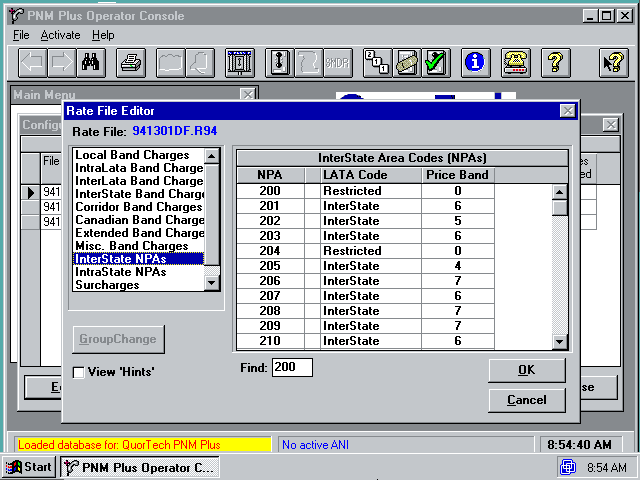
Those rules use 103-byte tables. The first few bytes hold the price-band number, dial pattern, and flags, followed by a 100-byte bitmap. That's enough bits for every NXX from 200 to 999. Within a byte, the lowest exchange uses the least significant bit:
index = nxx - 200
enabled = bool(bitmap[index // 8] & (1 << (index % 8)))
The exchange table doesn't contain an area code. The six-byte group records tell the reader which NPA owns the next set of tables. An NPA can appear in several group records when its overrides belong to different price categories, so storing just one group per NPA would discard part of the file.
A price band itself is only four bytes:
initial rate | initial minutes | additional rate | additional minutes
Prices use five-cent units, as the PNM Plus manual describes. The first price band in 208209BN.R94 looks like this, with the other parsed fields omitted:
{
  "band_index": 1,
  "init_rate": 10,
  "init_time": 15,
  "addtnl_rate": 10,
  "addtnl_time": 15
}
That's 50 cents for the initial 15 minutes, then 50 cents for each additional 15 minutes. It describes this band, not every destination in the file.
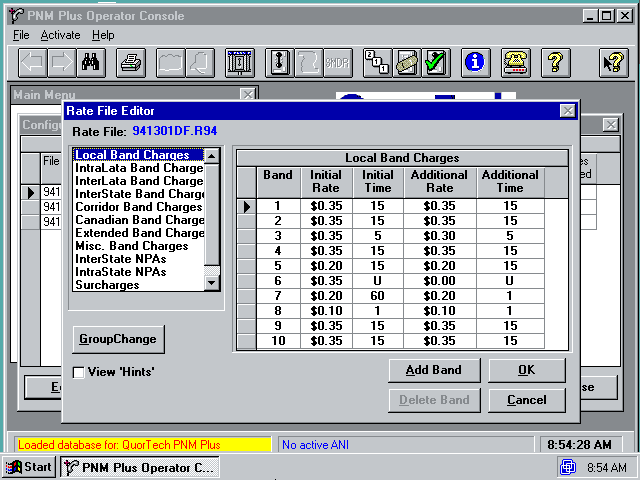
The band doesn't contain a category field. Instead, the category counts divide the band list into local, intraLATA, interLATA, interstate, corridor, Canadian, extended, and miscellaneous sections. LATA means Local Access and Transport Area; its boundaries don't necessarily follow area codes either.
Some values change meaning depending on where you find them. In a time field, 254 means unlimited and 255 means restricted, unlike their meaning in the area-code table. The manual describes the user-facing entries as 99/U and 98/R, so its instructions alone don't tell you what to put in the binary.
Writing it back
Once the reader produces sensible output, we can check it by rebuilding the body and comparing it with the decompressed original. That catches things a price listing won't show, such as a missing area-code default or an exchange bitmap attached to the wrong group.
The verifier checks equality of the entire decompressed body. It doesn't compare the complete on-disk files or test acceptance by the phone.
To try the reader on the sample in the repository, using uv:
git clone https://github.com/vekejsn/elcotel-playground.git
cd elcotel-playground
uv run ratefile_read.py --file ratefiles/208209BN.R94 --summary --dump-lowlevel-json writer.json
uv run ratefile_create.py writer.json rebuilt.R94 --verify-roundtrip
uv run verify_ratefiles.py ratefiles
The create command's --verify-roundtrip option reads the output back and prints a summary; verify_ratefiles.py does the byte comparison for each input file.
Generating a rate file from scratch also means deciding which exchanges belong in which bands. The tool supports explicit assignments or discovery from a home NPA/NXX, using exchange datasets and LocalCallingGuide. The example prices are just defaults, not researched tariffs.
Beyond rate files
We also worked out the .S94 speed-dial and .P94 priority-parsing formats. The project can read them into JSON and write them back, so the rate file isn't the only part of a phone's setup that we can inspect without the original editor.
Speed dial turns out to involve more than a list of telephone numbers. An .S94 file has 50 slots, each holding a 17-byte record with a number and its initial and additional charging periods, plus a LATA classification. The Series-5 manual describes accessing speed-dial entries with * followed by two digits. Those shortcuts can therefore carry their own charging information rather than just expanding into a number.
Priority parsing is more involved. Each 31-byte record has room for a dial pattern, a call macro number and a completion timer, along with charging fields. That makes .P94 interesting for understanding how an operator could handle particular dialled patterns, rather than only assign prices by area code and exchange. Decoding those fields isn't the same as reproducing every macro's behaviour inside the phone, though.
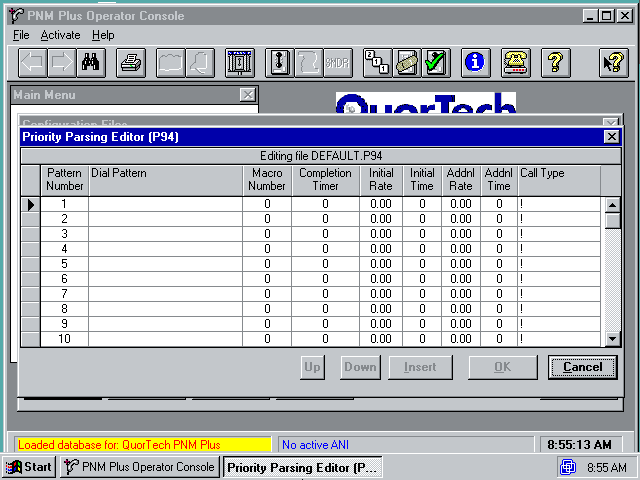
Speed-dial and priority-parsing file lists
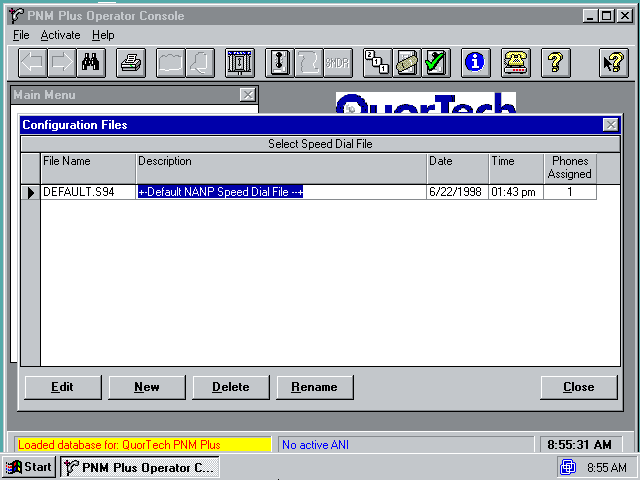
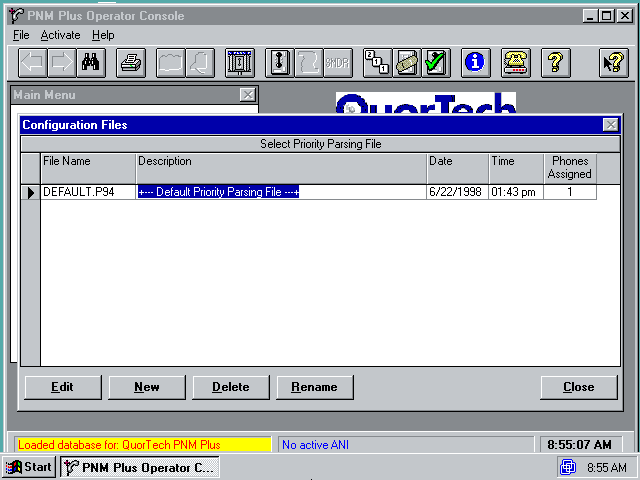
The first 50 priority-parsing records live in .P94; a companion .P99 holds records 51–250. The tools join them when reading and split them again when writing. Both formats use the familiar zero-run compression, but with 168-byte headers instead of R94's 268-byte header. Recognising that shared wrapper helps, even though the records inside are quite different.
To look at the supplied examples:
uv run s94_read.py --file S94_EXAMPLES/DEFAULT.S94 --summary
uv run p94_read.py --file P94_EXAMPLES/DEFAULT.P94 --summary
uv run verify_s94_p94.py
C94: the registers and options
The rate file tells the phone what to charge, but it doesn't tell it whether to accept incoming calls. That setting lives in a .C94 file, along with options for handling calls and restricting them during scheduled hours. PNM Plus calls these “registers and options.” We've now added support for those files too.
The original software gave us tables connecting numbered settings to their names and storage locations. That helped us work out what we were looking at, though the tables needed some care. Two fields named Lo and Hi, for example, describe which firmware versions offer a setting, not the values you're allowed to enter.
Some apparently separate settings also share storage. The incoming-call switch sits in the same byte as the option for adding a dialling prefix on a private telephone exchange. An editor needs to change one without accidentally switching the other off.
Firmware differences added more work. A setting that makes sense on one version doesn't necessarily mean the same thing on another, so the reader now has separate maps for nine versions. If it doesn't recognise yours, it won't guess which settings apply.
Rather than make people edit numbered registers, there's now a small browser editor:
uv run c94_editor.py
Open http://127.0.0.1:8094 and load your file. You get named switches and dropdowns, with prices in dollars and times on a clock, instead of having to look up how each value fits into the file. Everything runs locally, and downloading an edited copy leaves the original alone.
Settings we haven't understood stay read-only. The editor keeps their original bytes rather than filling in what it thinks ought to be there. It also leaves the phone's small call-handling programs alone; those need more care than an ON/OFF switch.
The format notes record 21 files that survive reading and writing without a single byte changing. Testing edited settings on a phone is still another job. And these files can contain passwords and bypass codes, which the editor displays in plain text, so check before sharing one or taking screenshots.
The format notes cover the storage details; the parameter reference lists the individual settings.
Getting it into the phone
A roundtrip check only tells us that the tools agree about the file. The phone still has to accept it and charge the right amount. The Series-5 manual calls for at least a .C94 configuration file and an .R94 rate file; speed-dial, priority-parsing and downloadable firmware files are optional. Leaving out a .V94 firmware file doesn't leave the phone without software, since it can run the firmware in EPROM.
Either end can start a download: the management PC can call the phone, or the phone can call home. The manual gives two to eight minutes for a complete session, depending on how much data needs to move. That's a separate wait from generating a small rate file on a modern computer.
Afterwards, the operator needs to check that the phone actually uses the downloaded settings rather than its defaults. The manual's download checks include checking alarms through voice telemetry: command 967 reports them, and alarm 10 means “Bad Rates.” Voice telemetry lets an authorised operator query the phone with DTMF commands and hear spoken responses, without opening a rate editor.
Even a clean alarm report isn't the end of the job. The next checks involve making calls to representative destinations, checking the requested charges, and confirming that the phone collects or returns coins correctly. A perfectly rebuilt bitmap can still assign an exchange to the wrong price band. That's a tariff mistake, and a byte-for-byte comparison won't catch it.
Where next?
C94 still has unresolved settings, including numeric mode choices and some volume-code meanings. Those need more than a plausible label borrowed from another firmware version. Comparing changes in PNM Plus helps check storage, but testing what a setting actually does needs the relevant phone and firmware.
The tools also don't generate the separate site-specific block, or SSB, yet. C94 support doesn't cover every file the management software handles.
Since I'm still not planning to import a phone, hardware testing may need someone with an Elcotel and a willingness to spend an afternoon listening to modem noises.
References
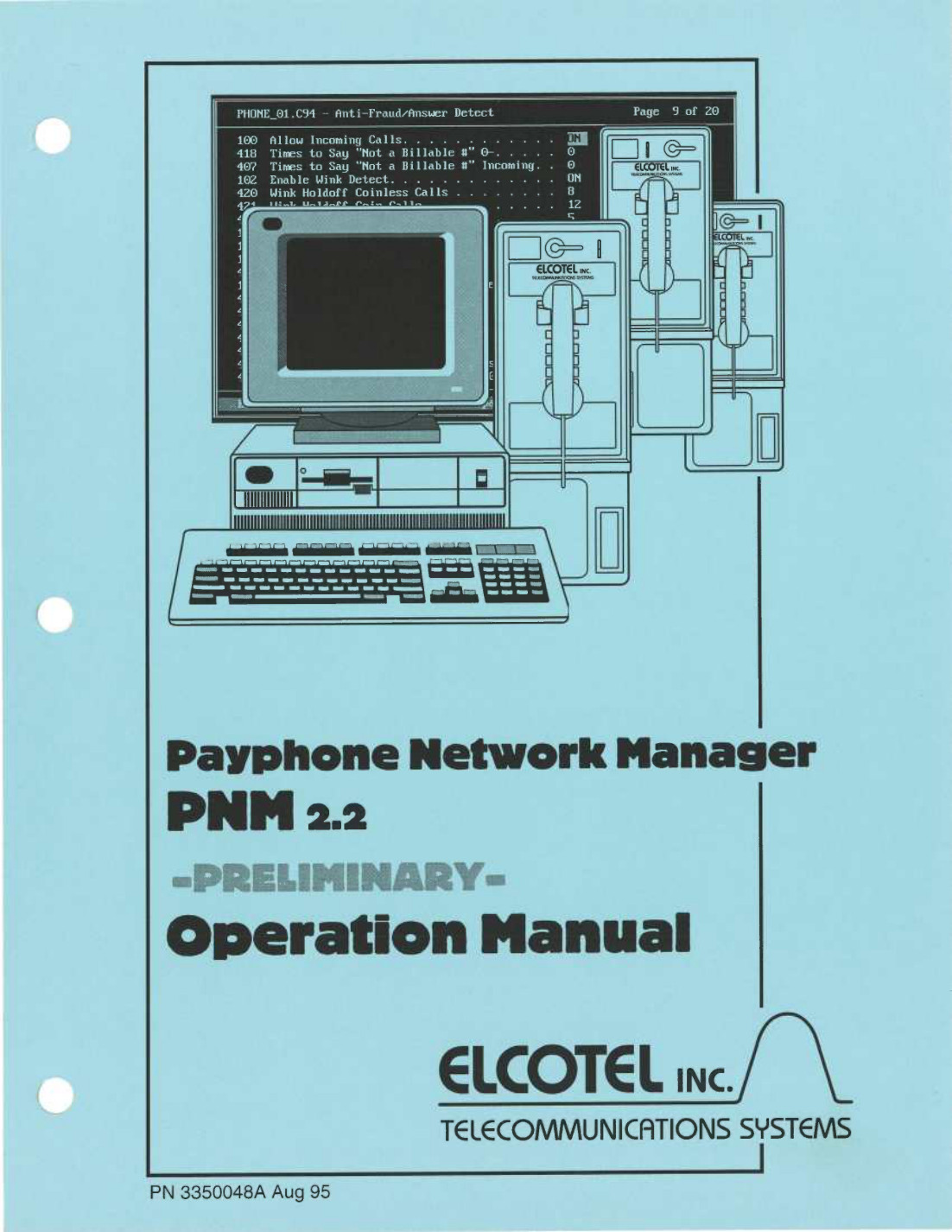
The cover image comes from the PNM 2.2 Operation Manual, preliminary edition, August 1995 (3350048A), hosted by Telesfor.
The historical details above come from the November 1999 PNM Plus Operation Manual 2.1 (3350231H), section 8.2, printed pages 190–196, and section 5.2.2.3, page 122. The Compact Desk Guide (3350320C), pages 12–13, covers obtaining and editing rate files. Telesfor hosts both manuals.
The phone and download details come from the February 1999 Series-5 Operation Manual (3350098B), printed pages 1–5, 27–34, 64 and 95–96. Payphone411's Elcotel manual index also has the compact field guide and PNM manuals. PDF page numbers in the Series-5 links run ten pages ahead of the printed numbers.
The R94, S94 and P94 details follow elcotel-playground at revision 224565e, not a complete specification of every Elcotel file variant.
The C94 section follows the later C94 support commit, e7297f5, particularly its format notes and parameter reference. The 21-file verification result comes from those notes.